A
Offline by design
No browser, local server, Electron, Node.js, Python, WebView, updater, or internet connection.

Native Windows teleprompter

Keep your words moving.
Keep your eyes steady.
Paste your script, choose smooth scrolling or syllable-timed Word Focus, and present from a separate full-screen stage—fully offline.
Version 1.1.0 Windows x64 68.2 MB No admin required
2presentation modes
53/53release checks passed
0web runtimes required
Word Focus
MayoPrompt estimates each word's syllables locally, then holds it for one beat per estimated syllable. The amber optimal recognition point stays fixed, helping reduce side-to-side tracking.
Live timing preview
1 beat · 200 ms at 300 BPM
Word Focus uses a deterministic English-language estimate. Pronunciation can vary for unusual names, acronyms, and specialist terms; punctuation adds breathing room automatically.
Two ways to present
One word at a fixed eye position.
Set the beat rate from 120 to 720 BPM. The word changes on its estimated syllable count while the amber recognition letter stays anchored in place.
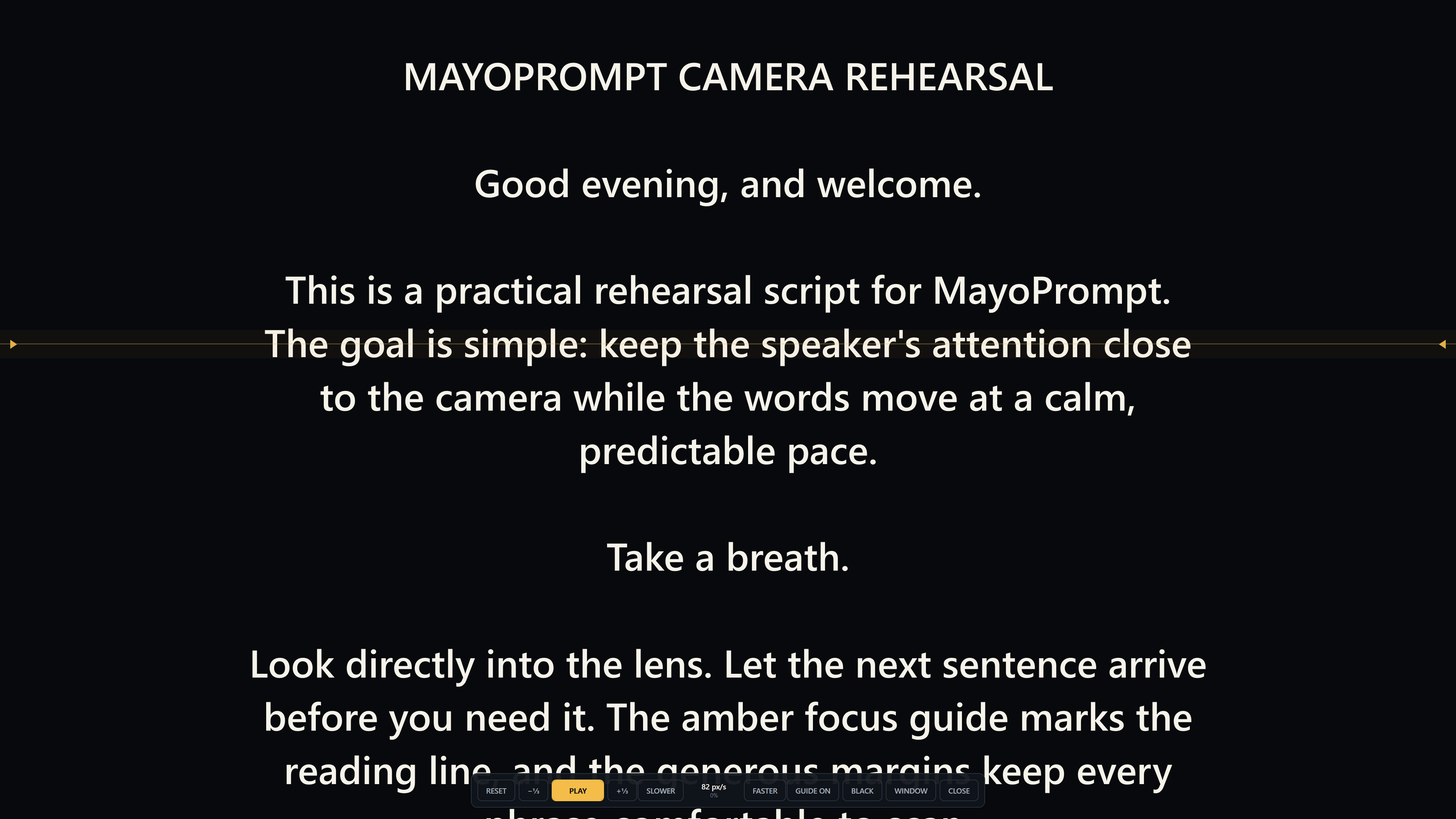
The familiar teleprompter, refined.
Formatted text moves continuously through a stable reading corridor. Tune speed, line spacing, reading width, type size, alignment, and guide placement for the camera setup in front of you.
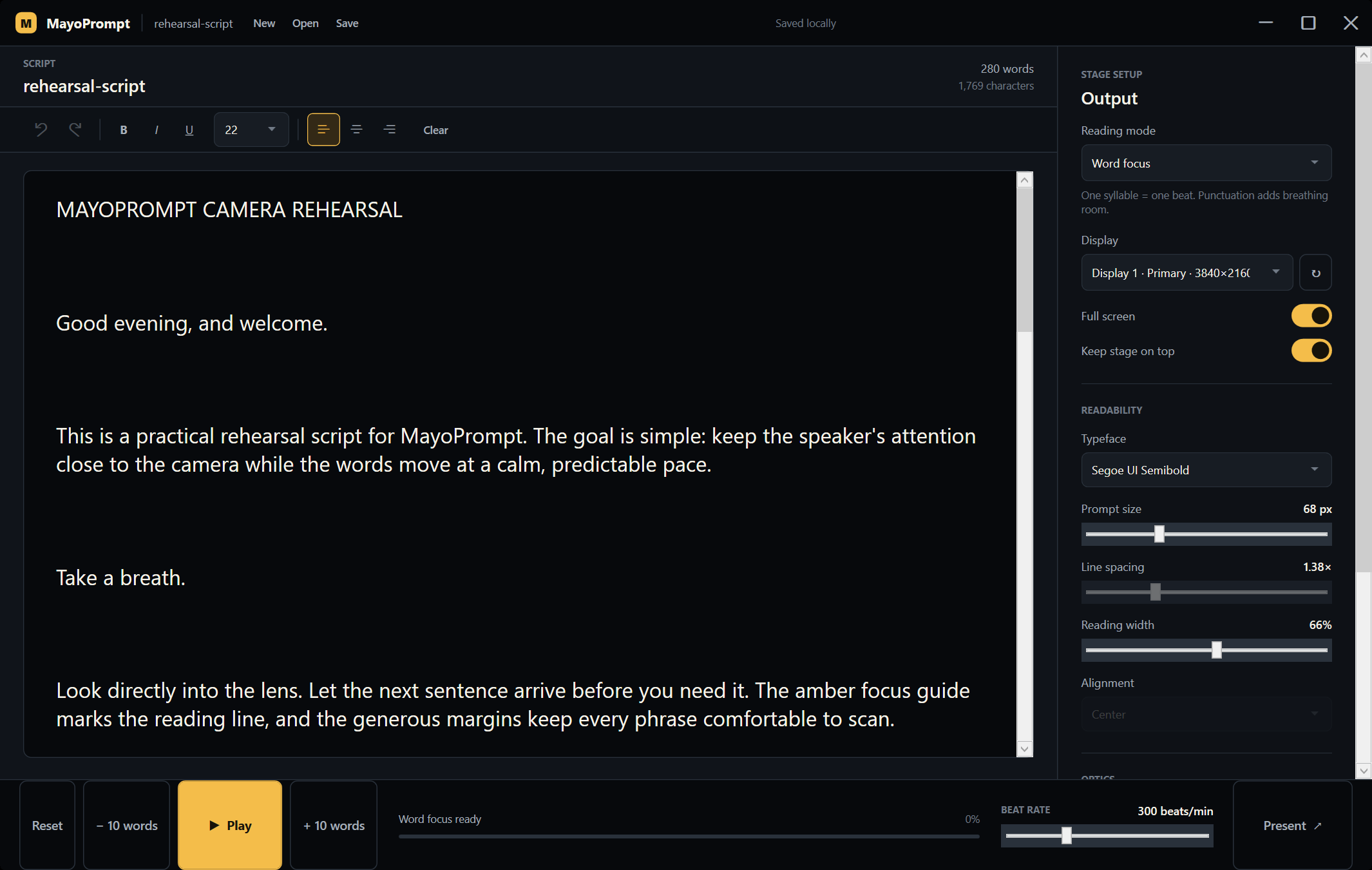
Controller here. Prompt there.
Edit and format on the laptop while the clean prompt stage fills the selected display. If a display disconnects, MayoPrompt pauses and keeps the controller reachable.
A
No browser, local server, Electron, Node.js, Python, WebView, updater, or internet connection.
B
Choose a second screen, fill it, and mirror horizontally for beam-splitter glass or vertically for inverted setups.
C
Autosave recovery preserves your work locally, and privacy-safe diagnostics never include your script text.
D
Most presenter remotes that send Space, arrow, Page Up, or Page Down keys work without an extra driver while the controller or stage has focus.
From download to rehearsal
The self-contained installer includes everything MayoPrompt needs and installs only for your Windows account.
Save the 68.2 MB Windows x64 installer from MayoFlux.
Run setup. It adds MayoPrompt to the Start Menu without an administrator prompt.
Paste your script, choose a mode and display, then open the stage.
MayoPrompt 1.1.0
Free Windows x64 installer. Runs fully offline after download.
Download MayoPrompt